How to change walgreens thermometer from c to f
Here’s the quick answer: You can change your Walgreens thermometer from Celsius to Fahrenheit with just a few simple steps! 😃 When I first wondered how to change walgreens thermometer from c to f, I realized most models make it easy. Some use a button, while others have a small switch. If your thermometer looks different, don’t worry. I’ll help you figure it out and get your readings in Fahrenheit fast.
How to change walgreens thermometer from c to f
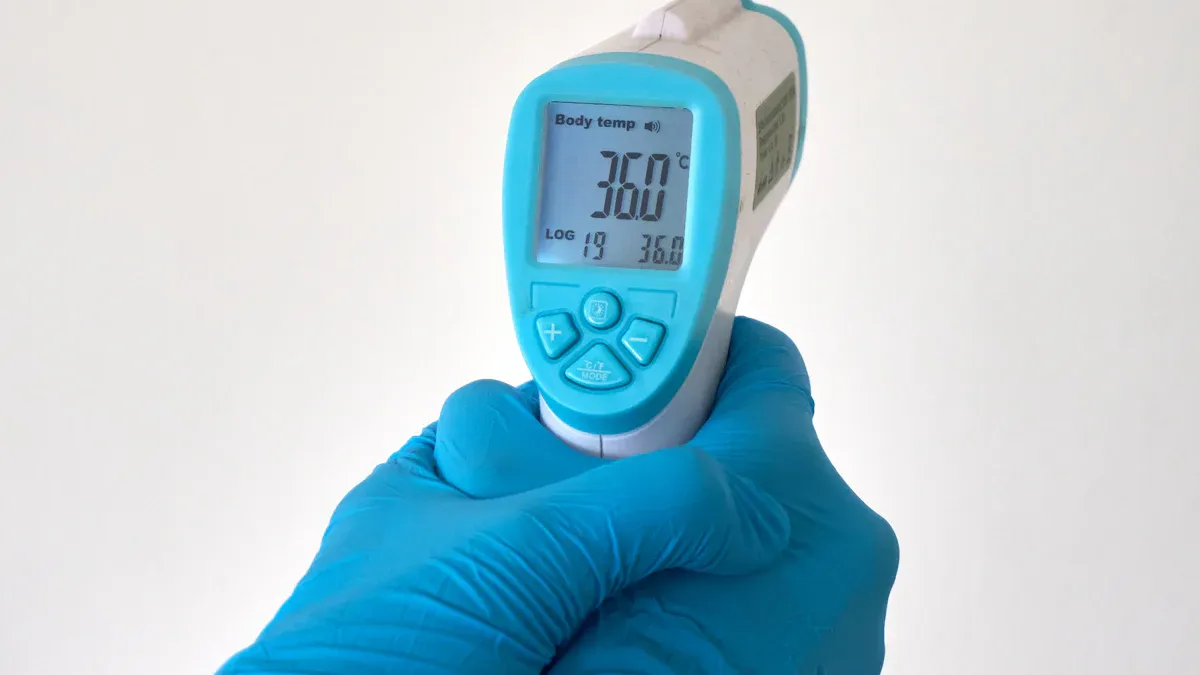
If you’re like me, you want your Walgreens thermometer to show temperatures in Fahrenheit, not Celsius. You can change your Walgreens thermometer from Celsius to Fahrenheit by using one of these three easy methods: the power button, the start button, or a switch in the battery compartment. Let me walk you through each way so you can get your readings just how you like them.
Power Button Method
I’ve found that many Walgreens thermometers use the power button to switch between Celsius and Fahrenheit. Here’s how I do it:
Make sure the thermometer is off.
Press and hold the power button.
Keep holding until the display changes to Fahrenheit (°F) or Celsius (°C).
Release the button when you see the unit you want.
💡 Tip: Sometimes, you need to wait a few seconds after turning the thermometer off before you try this. If it doesn’t work the first time, try again!
This method works for most Walgreens digital thermometers. The Thermco Products site and several user manuals confirm that the power button often controls the temperature unit. If your thermometer changes to Fahrenheit, you’re all set!
Start Button Method
Some Walgreens thermometers use a start button instead. I’ve used this method on my Fast Read Digital Clinical Thermometer, and it’s super simple:
Turn the thermometer on.
Right away, press and hold the start (ON/OFF) button.
Keep holding until the display switches from Celsius to Fahrenheit or vice versa.
Let go of the button when you see the unit you want.
The official instruction manual for this model says to use the start button to switch units. I like this method because it’s quick and easy. If you’re not sure which button is the start button, check for one labeled “ON/OFF.”
Battery Compartment Switch
Some Walgreens thermometers hide the switch inside the battery compartment. I discovered this when I couldn’t find any buttons that worked. Here’s what I do:
Open the battery compartment on the back of the thermometer.
Look for a tiny switch labeled °C/°F.
Slide the switch to the unit you want (Fahrenheit or Celsius).
Close the battery compartment and turn the thermometer on.
Step | What to Do | Emoji |
|---|---|---|
1 | Open battery compartment | 🔋 |
2 | Find °C/°F switch | 👀 |
3 | Slide to Fahrenheit | 👉 |
4 | Close and turn on | ✅ |
📝 Note: Not every Walgreens thermometer has this switch. If you don’t see it, try the button methods above.
Some models may need you to use a combination of buttons, like holding both the “Face” and “Mem” buttons. If you’re stuck, check your user manual or look for your model number. The Thermco Products site recommends checking the manual for model-specific steps or calling customer support if you have trouble.
If you want to know how to change walgreens thermometer from c to f, these three methods cover almost every model I’ve seen. I always start with the power button, then try the start button, and finally check the battery compartment. This way, I can quickly get my thermometer to show Fahrenheit instead of Celsius.
Troubleshooting and Model Variations
Display Won’t Change
If your thermometer display won’t switch from celsius to fahrenheit, don’t worry!
I’ve run into this before, and here’s what I do:
Double-check that you’re holding the right button long enough. Sometimes, it takes 5-10 seconds.
Turn the thermometer off, wait a few seconds, then try again.
Remove the battery for a minute, put it back, and try switching units.
If your thermometer still shows celsius, try the other methods I shared above.
🛠️ Tip: Some Walgreens models need a fresh battery to change settings. If nothing works, pop in a new battery and try again.
Button Combinations
Some Walgreens thermometers use button combos to change units.
I found this out when my regular method didn’t work. Here’s what I suggest:
Look for buttons labeled “Face,” “Mem,” or “Mode.”
Try holding two buttons at the same time for a few seconds.
If you have an instant ear thermometer, try pressing the “Mem” and “Start” buttons together.
Button | Action |
|---|---|
Face + Mem | Hold together 5 seconds |
Mem + Start | Hold together 5 seconds |
📖 Note: The user manual often lists the right combo. If you lost yours, search for your model number online.
Instant Ear Thermometer Tips
Walgreens instant ear thermometer models sometimes work differently.
I noticed these tips help:
Hold the “Start” button for 5 seconds when the thermometer is off.
If that doesn’t work, open the battery compartment and look for a tiny switch.
For some instant ear thermometer models, you might need to press both “Mem” and “Start” together.
🔎 Find your model number on the back or inside the battery compartment.
📚 User manuals are usually online—just search “Walgreens” plus your model number.
If you still can’t figure out how to change walgreens thermometer from c to f, Walgreens customer support can help. I always keep my model number handy when I call or search online.
Extra Tips
Change Celsius to Fahrenheit Manually
You can change celsius to fahrenheit by using a simple math formula! 🧮
Sometimes, your thermometer just won’t switch units, or maybe you want to double-check a reading. I use this formula when I need to convert temperatures myself:
Fahrenheit = (9/5 × Celsius) + 32
Let’s say you have a reading of 37°C. Here’s how I do it:
Multiply 37 by 9, which gives 333.
Divide 333 by 5, which is 66.6.
Add 32. The answer is 98.6°F.
I found this formula on GeeksforGeeks and Vaia.com. Both sites explain how it works and give step-by-step examples. If you want a quick look-up, check out this handy table:
Celsius (°C) | Fahrenheit (°F) |
|---|---|
-40 | -40 |
0 | 32 |
20 | 68 |
37 | 98.6 |
100 | 212 |
You can also see how the numbers change on this chart:

If you ever forget the formula, just remember: every 5°C rise is about a 9°F rise. That trick helps me estimate fast!
Find Walgreens Support
If you still can’t get your thermometer to show fahrenheit, Walgreens support can help! 🛎️
Here’s what I do when I need extra help:
I check the user manual first. Most Walgreens thermometers have a small booklet in the box. The manual usually lists all the steps for switching units.
If I lost the manual, I search online for my thermometer’s model number plus “user manual.”
When nothing works, I call Walgreens customer support or visit their website. They answer questions and help with tricky models.
📝 Tip: Always keep your thermometer’s model number handy. It makes finding answers much faster!
You can change your Walgreens thermometer from Celsius to Fahrenheit in just a few steps! Here’s what I do:
Try the power button method first. 🔘
If that doesn’t work, use the start button. 🚦
Check the battery compartment for a switch. 🔋
Still stuck? Troubleshoot or call Walgreens support. ☎️
Most models switch easily, but some need extra steps. Don’t stress—switching units is simple once you know how!
FAQ
How do I know which Walgreens thermometer model I have?
Look for the model number on the back or inside the battery compartment.
I always check these spots first. If I can’t find it, I check the original box or user manual. The model number helps me find the right instructions.
My thermometer won’t switch units. What should I do?
Try all three methods: power button, start button, and battery switch.
If nothing works, I remove the battery for a minute, then try again. Sometimes, a fresh battery helps. If I still can’t switch, I call Walgreens support. ☎️
Can I switch from Fahrenheit to Celsius the same way?
Yes, I use the same steps to switch back and forth.
Whether I want Celsius or Fahrenheit, I just follow the button or switch method. It works both ways! 🔄
Where can I find the Walgreens thermometer user manual?
I search online using my model number and “user manual.”
If I lost the paper manual, Walgreens usually has digital copies. I also check their website or ask customer support for help. 📚