How to Calibrate a Taylor Thermometer Step by Step
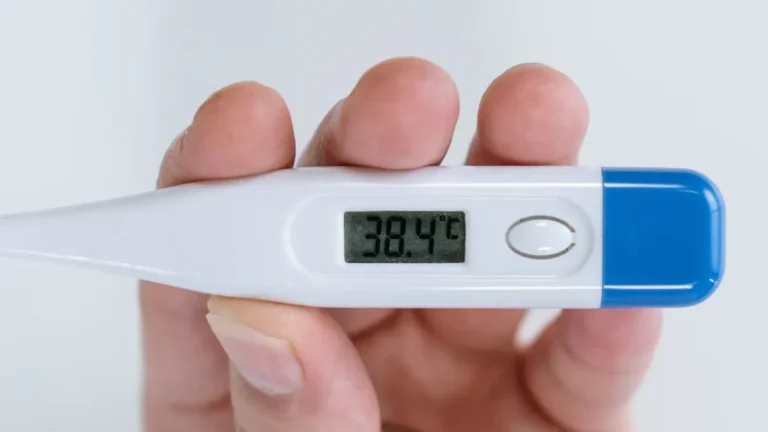
To learn how to calibrate a Taylor thermometer, I use boiling water or ice water to check its reading. Then I make adjustments if needed. This process ensures my food thermometer shows the correct temperature every time. When my thermometer is accurate, I can be confident my food is safe. I have tried this method with both dial and digital Taylor thermometers. Anyone can easily do this at home by following a few simple steps! 👍 Just follow along, and you’ll get the best accuracy from your thermometer. 🕵️♂️
What You Need
To calibrate my Taylor thermometer at home, I get a few easy things and make sure my workspace is safe. Here’s what I grab for each way:
Tools and Materials
Ice Water Supplies
🧊 Crushed ice (enough to fill a glass)
💧 Cold water
🥛 A tall glass or cup
🖊️ Taylor thermometer (dial or digital)
Boiling Water Supplies
💦 Fresh water
🍲 A pot (medium or small)
🔥 A stove or other heat source
🖊️ Taylor thermometer (dial or digital)
🧤 Tongs or a heat-safe glove (for safety)
I always check that I have all my supplies before I begin. This stops me from running around the kitchen with hot or cold things.
Here’s a quick look at some professional calibration tools used in labs. I don’t need these at home, but it’s cool to see what experts use for very exact results:
Essential Calibration Items | Description |
|---|---|
Reference Thermometer with Readout | Used as a standard to compare and adjust the thermometer under test. |
Drywell and/or Micro-bath Heat Source | Gives steady temperatures to copy real process temperatures for calibration. |
Precision Simulator | Makes electrical signals to copy sensor outputs for calibration. |
Accredited Calibration Services | Makes sure results match national and international standards and are high quality. |
I just use the basics for my kitchen thermometer, but labs use these tools to make sure their numbers are perfect.
Safety Tips
Safety first! I always follow some rules when I calibrate my thermometer:
I never let the probe touch the sides or bottom of the glass or pot. This can mess up the reading.
I use tongs or a glove with boiling water. Steam and hot water can burn fast.
I keep kids and pets away from the stove while I work.
I make sure the thermometer is clean before and after I use it.
I pour out hot water slowly and let things cool before cleaning up.
Doing these things keeps me safe and helps my thermometer last longer. If I am not sure about something, I look at the Taylor manual or check their website for help.
Preparing Your Taylor Thermometer

Before I start testing your thermometer, I always make sure it’s clean, safe, and ready to go. Here’s how I get set up for the best results:
Clean and Inspect
I start by washing my thermometer with warm, soapy water. I rinse it well and dry it with a clean towel. If I see any cracks, rust, or loose parts, I stop and check if it’s still safe to use. A damaged thermometer can give wrong readings or even break during calibration. I also look at the probe tip to make sure it’s not bent or dirty. If I dropped my thermometer recently, I pay extra attention. Sometimes a drop can mess up the inside parts.
Tip: A clean thermometer keeps germs away and helps me get the most accurate temperature.
Read the Manual
Next, I grab the instruction manual that came with my Taylor thermometer. If I can’t find it, I visit the Taylor USA website. They have manuals for every model, and I can search by the number on the back of my thermometer. The manual shows me exactly how to calibrate my model. It also tells me about any special buttons or screws I might need to use. The official Taylor manuals say it’s important to follow their step-by-step instructions. This helps me make sure my thermometer is accurate and safe to use every time.
Set Up Workspace
I like to set up my workspace before I start. Here’s what I do:
I pick a spot away from kids and pets.
I clear off the counter so I have room for my supplies.
I make sure my glass, pot, and thermometer are close by.
I keep a towel handy for spills.
Industry guidelines say a stable workspace helps me get better results. They recommend using a small bath or dry block for calibration, but at home, I use a glass of ice water or a pot of boiling water. I let everything sit for a few minutes so the temperature stays steady. Some experts suggest waiting about thirty minutes for things to stabilize, but I find a few minutes works for my kitchen. If I want to be extra careful, I can test my thermometer at different temperatures, like ice water, room temperature, and boiling water. This covers the range I use for cooking.
Workspace Setup Checklist | Why It Matters |
|---|---|
Clean area | Fewer germs, less mess |
Stable surface | No spills or accidents |
Supplies ready | No running around mid-process |
Good lighting | Easier to read the thermometer |
By following these steps, I make sure my thermometer is ready for calibration and safe to use.
How to Calibrate a Taylor Thermometer
Here’s how to calibrate a Taylor thermometer at home: I use either the ice water method or the boiling water method, then adjust the reading if needed. Both ways help me check if my thermometer is accurate. I like to use both methods to make sure my readings are spot-on.
Ice Water Method
Prepare Ice Bath
I fill a tall glass all the way with crushed ice.
I pour cold water over the ice until the glass is full.
I stir the mixture for about 30 seconds. This helps the temperature settle at 32°F (0°C).
Tip: More ice than water gives the best results. If I use too much water, the temperature might not be cold enough.
Insert Probe
I place the thermometer probe into the center of the ice bath.
I make sure the tip does not touch the sides or bottom of the glass.
I wait at least 30 seconds for the reading to steady.
Adjust Reading
I check the display or dial. At sea level, it should read 32°F (0°C).
If I use a dial thermometer, I turn the calibration nut under the head with a small wrench or pliers until the needle points to 32°F.
If I use a digital thermometer, I press and hold the CAL button (if my model has one) until the screen shows 32°F.
If the reading is correct, I know my thermometer is accurate. If not, I adjust it.
Step | What I Do | Why It Matters |
|---|---|---|
Make ice bath | Fill glass with ice and water | Sets correct temperature |
Insert probe | Keep tip in center, not touching glass | Avoids false readings |
Adjust reading | Use nut or CAL button to set to 32°F | Ensures accuracy |
Boiling Water Method
Boil Water
I fill a pot with fresh water and set it on the stove.
I bring the water to a rolling boil. Bubbles should rise quickly and steadily.
Caution: I use tongs or a glove to protect my hands from steam.
Take Reading
I carefully place the thermometer probe into the boiling water.
I keep the tip in the middle of the pot, away from the sides and bottom.
I wait about 30 seconds for the reading to settle.
Adjust Calibration
At sea level, the thermometer should read 212°F (100°C).
For a dial thermometer, I use the calibration screw or nut to move the needle to 212°F.
For a digital thermometer, I press and hold the CAL button until the display shows 212°F.
If the reading matches, I know my temperature calibration is good. If not, I adjust it.
Note: If I live at a high altitude, boiling water will be cooler than 212°F. I check a boiling point chart for my area if I want to be exact.
Quick Tips for Success
I never let the probe touch the container’s sides or bottom. This can give a wrong reading.
I always use enough ice for the ice bath.
I check my thermometer with both methods if I want the best accuracy.
That’s how to calibrate a Taylor thermometer! I find these steps easy to follow, and I get reliable results every time. When I calibrate the thermometer, I feel confident my food is safe and cooked just right.
Calibrate a Meat Thermometer
I always check my Taylor meat thermometer before I cook. This helps me keep my food safe and cooked to the right temperature. If my thermometer is not correct, my meat could be undercooked or overcooked. That is not good for safety or taste! Here is how I calibrate a meat thermometer, no matter if it is a dial or digital model.
Taylor Dial Thermometer
Use Calibration Nut
When I use a Taylor dial meat thermometer, I use the calibration nut to keep it working right. Here is how I do it step by step:
I set my oven to a temperature I know, like 350°F.
I put the thermometer in the oven, but it does not touch anything.
I leave it there for 10 to 15 minutes so the temperature can even out.
I look at the thermometer and see if it matches the oven’s temperature.
If it is not right, I use a small wrench or pliers to turn the calibration nut on the back:
I turn it to the right to make the number go up.
I turn it to the left to make the number go down.
I make small changes and check again until the thermometer matches the oven.
I do this as many times as I need for the best results.
🛠️ Tip: The calibration nut is a special part on Taylor dial thermometers. It lets me fix the reading so I can trust it every time.
Reset After Drop
If I drop my dial thermometer or it gets hit hard, I always check it again. A drop can move the needle out of place. I use the same steps to check and fix the reading. This way, I know my thermometer still keeps my meat safe.
⚠️ Note: If my thermometer still shows the wrong number after I fix it, I look for damage or think about getting a new one.
Taylor Digital Thermometer
Use CAL Button
My Taylor digital meat thermometer is easy to fix with the CAL button. Here is what I do:
I make an ice water bath by filling a glass with ice and some water.
I put the probe in the ice water, not touching the sides or bottom.
I wait for the number to stop at 32°F (0°C).
If it does not show 32°F, I find the CAL or ADJ button.
I use a small screwdriver to turn the adjustment until the screen says 32°F.
I take out the thermometer and dry the probe.
💡 Tip: I always check my digital thermometer’s manual for the right steps. Some models have different buttons or ways to fix them.
Follow Model Instructions
Taylor makes many digital thermometers, and each one can be a little different. I always look at the manual for my model. The Taylor website has guides for every thermometer, so I never have to guess. Following the right steps keeps my thermometer working well and helps me keep my meat safe.
Model Type | How I Calibrate | What to Watch For |
|---|---|---|
Dial Thermometer | Use calibration nut, check after drops | Needle should match known temp |
Digital Thermometer | Use CAL/ADJ button, follow manual | Display should read 32°F in ice |
📝 Remember: I check my meat thermometer often, especially after drops or big changes in temperature. This keeps my food safe and my thermometer working right.
Troubleshooting
Inaccurate Readings
If my Taylor thermometer gives inaccurate readings after calibration, I follow a few steps to fix it:
I always begin with the ice water test. I fill a glass with lots of ice and cold water. I make sure the ice stays packed down. This keeps the temperature at 32°F (0°C).
I put the probe in carefully. I keep the tip away from the glass sides and bottom. This helps me get the right number.
I wait for the number to stop changing. Sometimes, it takes up to three minutes. Dial thermometers can be slower.
I check the number three times. I write down each result. If the numbers are different, something is wrong.
I look for a pattern in the results. If my thermometer is off by more than 1°F (or 0.5°C), I know it needs repair or a new one.
📝 Tip: I always use clean water for calibration. Dirty or hard water can change the freezing or boiling point. This can mess up my results.
Common causes for inaccurate readings:
I use the wrong way to calibrate my thermometer.
I forget to adjust for altitude when I use boiling water.
I rush and do not wait for the temperature to settle.
I skip regular checks or do not write down my results.
I use a digital thermometer like a dial one, or the other way around.
Won’t Calibrate
If my thermometer will not calibrate, I try these fixes:
I check the manual for my model again. Some Taylor thermometers have special steps or buttons.
I make sure I am using the right method for my thermometer type.
I look for damage, like cracks or a bent probe.
I try both the ice water and boiling water tests to see if one works.
I let the thermometer sit in the water long enough. Rushing can cause mistakes.
I use a small tool for the calibration nut or CAL button if needed.
⚠️ Note: If my thermometer still will not calibrate after all this, I stop using it for food. I think about getting it fixed or buying a new one.
When to Replace
I get a new thermometer if it cannot stay accurate within +/- 1°F (0.5°C), even after calibration. This is the rule for safe food.
Other signs I need a new thermometer:
I see cracks, strange colors, or anything odd inside the display or probe.
The numbers jump around or never settle, even after waiting.
The thermometer has been dropped, gotten too hot, or cooled too fast and now acts weird.
I see mercury loss (for old models) or dirt inside.
When I Replace My Thermometer | Why It Matters |
|---|---|
Accuracy off by more than 1°F | Food safety risk |
Physical damage | Unreliable readings |
Unstable or erratic numbers | Cannot trust results |
Old or worn out | Harder to keep calibrated |
😊 Good news: Regular calibration helps me find problems early. If I see the same problem again and again, I know it is time for a new thermometer. This keeps my food safe and makes cooking easier!
Tips for Accuracy
Calibration Frequency
I always make sure to calibrate my thermometer regularly for the best results. How often do I do it? That depends on a few things:
🏭 How I use it: If I use my thermometer every day or for important things like checking meat, I calibrate it more often.
🌡️ Where I use it: If my kitchen gets hot, cold, or humid, I check my thermometer more often. Big changes in temperature or humidity can make it drift.
🛠️ After a drop or bump: If I drop my thermometer or it gets hit, I calibrate it right away—even if it looks fine.
📅 Manufacturer’s advice: I always check the manual. Taylor usually gives a schedule, like once a month or every few months.
📝 My own notes: I keep track of how my thermometer acts. If it starts to drift, I shorten the time between calibrations.
Pro tip: Some industries, like labs or hospitals, calibrate every month or even more often. For home use, I find that once a month or after any accident keeps my thermometer in top shape.
Storage Advice
I store my thermometer the right way to keep it working well. Here’s what I do:
I clean and dry my thermometer before putting it away.
I keep it in a case or a safe spot in my kitchen drawer.
I never leave it in a hot car or near the stove.
I avoid places with lots of moisture or dust.
I make sure the probe is covered or retracted if possible.
Storage Tip | Why I Do It |
|---|---|
Clean and dry | Stops rust and germs |
Use a case | Prevents scratches and bends |
Avoid heat and moisture | Keeps readings accurate |
A properly calibrated thermometer lasts longer when I store it with care.
Avoiding Mistakes
I watch out for common mistakes so I always get accurate temperature readings. Here are some things I avoid:
❄️ Not using enough ice in the ice bath. I always fill the glass with more ice than water.
🚫 Letting the probe touch the sides or bottom of the glass or pot. This can give a false reading.
⏱️ Rushing the process. I wait at least 30 seconds for the reading to settle.
🧼 Skipping cleaning. I clean the probe before and after each use.
📖 Ignoring the manual. Each thermometer can be a little different, so I always check the instructions.
🗓️ Forgetting to recalibrate after a drop or big temperature change.
Tip: I write down my calibration dates and results. This helps me spot problems early and keeps my thermometer reliable.
By following these tips, I make sure my thermometer stays accurate and ready for every meal!
I always keep these main steps in mind when I calibrate a taylor thermometer:
First, I clean and check the thermometer for any problems.
Next, I use ice water or boiling water to test if it is correct.
Then, I fix the reading with the calibration nut or CAL button.
I do these checks often to make sure my results are good. 🕵️♂️
Calibrating my thermometer often keeps my food safe and my numbers right. Research shows that using trusted ways, like checking for leftover mistakes and small errors, helps me believe my thermometer is right every time. If I need help, I search for my model on the Taylor website to find easy steps. Anyone can keep their thermometer working well by following these simple tips! 👍